
CRM vs Spreadsheets: When to Make the Switch and How to Do It Right
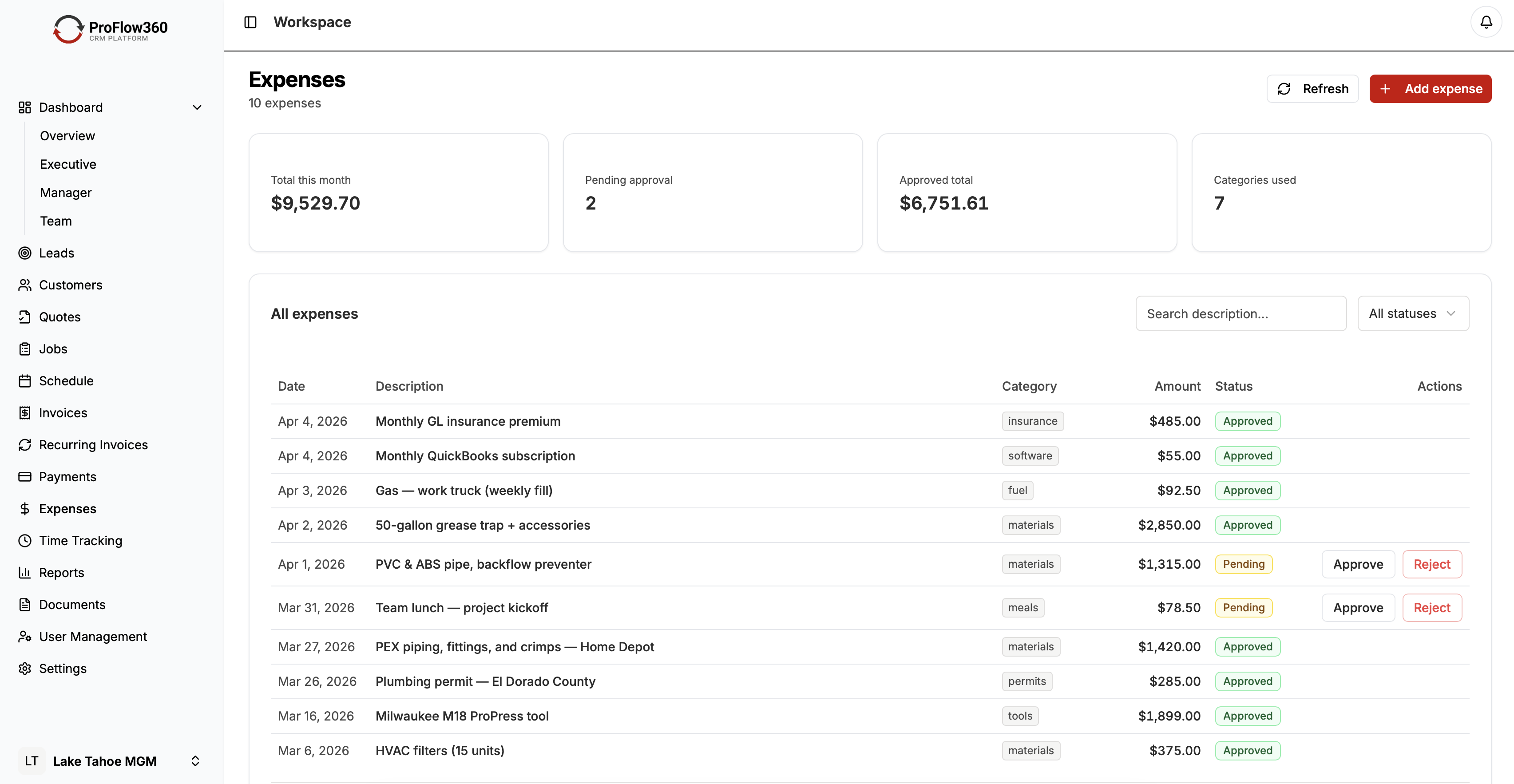
Most service businesses start with spreadsheets. A customer list in Google Sheets, a job tracker in Excel, a follow-up log someone keeps updated when they remember to. It works — until it doesn't.
The transition point is different for every business, but the symptoms are consistent: leads going cold because nobody followed up in time, customers slipping through the cracks, job status living in three different places, nobody sure which spreadsheet is current. By the time the pain is obvious, the business has already lost jobs to the gaps.
This guide covers when spreadsheets stop being adequate, what CRM actually delivers in their place, and how to migrate without losing your data or your sanity. Last updated April 2026.
Why Spreadsheets Work Initially
Spreadsheets are genuinely good tools for what they're designed to do: structured data storage with flexible calculation. For a business with fewer than 50 active customers and a one- or two-person team, a well-maintained spreadsheet can handle the basics.
They're free or nearly free. Everyone knows how to use them. You can build exactly the structure you want. Sharing is as simple as a Google Drive link.
The problem isn't that spreadsheets are bad. It's that customer relationship management is not what they're designed for — and the gaps become operational liabilities as the business grows.
The 6 Signs You've Outgrown Spreadsheets
1. Leads Are Going Cold
A new lead came in last Wednesday. You meant to follow up. You had jobs to run. You forgot. By the time you remembered, they'd already booked someone else.
Spreadsheets have no mechanism for automated follow-up. There's no trigger that says "this lead hasn't been contacted in 48 hours, create a task." Either someone remembers or they don't.
CRM solution: Automated follow-up task creation. When a new lead is entered, the system immediately creates a task for the assigned person with a due date. No leads fall through cracks because the system tracks them, not individual memory.
2. Nobody Trusts the Data
Sarah updated the customer list Tuesday morning. Tom downloaded it Monday night for the job schedule. Now there are two versions. Which quote is current? Was the customer's address updated? Is this the right phone number?
Version control is spreadsheets' fundamental failure. When multiple people need to read and write the same data, spreadsheets break down.
CRM solution: Single source of truth. Every team member accesses the same live record. Changes are reflected immediately for everyone. No file downloads, no version conflicts.
3. You Can't See Your Pipeline
"How many estimates do we have out right now? What's the total value? Which ones are more than a week old without a response?" These should be instant questions. In a spreadsheet, answering them means filtering, pivoting, and hunting through rows. By the time you have the answer, it's already stale.
CRM solution: A live pipeline view showing every open opportunity by stage, value, age, and assigned person. Running the business from data rather than gut feel becomes practical.
4. History Gets Lost
Customer calls with a question about a previous job. What was the scope? What did it cost? Were there any issues? You look at the spreadsheet and see: name, phone, email, address. Nothing else.
Spreadsheets store records, not relationships. Every customer interaction, quote, job, note, and conversation should be visible from a single record.
CRM solution: Full customer history attached to every record — every job, every email, every note, every invoice. When the customer calls, you know exactly where things stand.
5. Mobile Access Doesn't Work
Your tech is on a job site. The customer asks a question about their account history. The tech doesn't have a laptop. The spreadsheet is on someone's desktop or locked behind a VPN. The tech either guesses or calls the office.
CRM solution: Full mobile app access. Update job status, log notes, check customer history, view scheduled jobs — all from a phone on the job site.
6. Reporting Takes Too Long
Answering "what was our revenue last quarter by service type?" shouldn't take 2 hours of spreadsheet manipulation. If it does, strategic decisions are being made on outdated information or gut instinct.
CRM solution: Pre-built reports and dashboards that answer common business questions in seconds. Revenue by month, conversion rate by lead source, jobs per technician, average response time — all available without building formulas. For profitability questions specifically, job costing takes this further by tracking actual costs against what you charged on every job.
What CRM Actually Delivers
The core gain from moving to CRM is not access to more features. It's access to reliable, organized data that drives action.
Automated follow-up: No more mental overhead trying to remember who needs to be called. The system creates tasks, sets deadlines, and notifies the right person.
Complete customer visibility: Every team member sees the same customer picture — history, outstanding jobs, communication log, any open issues.
Pipeline clarity: A live view of every open opportunity, its stage, its value, and what action is needed next. This makes revenue forecasting possible.
Workflow consistency: The same process runs for every lead, every job, every customer — regardless of who's handling it or what else is happening. New team members onboard faster because the process is documented in the system.
Time savings: Research from Nucleus Research shows CRM returns an average of $8.71 for every dollar spent, largely through time recovery. Administrative overhead drops significantly when data entry, follow-up creation, and reporting are automated.
The Migration Plan
Switching doesn't have to be painful. Here's a practical six-week approach.
Week 1: Audit Your Data
Before moving anything, understand what you have:
- How many active customer records?
- What fields do you track?
- Where does data live (which spreadsheets, which drives, which inboxes)?
- How much of it is current?
Identify your duplicates, incomplete records, and outdated contacts. Clean as much as possible before migration. Migrating dirty data doesn't clean it — it just makes it harder to fix later.
Week 2: Choose Your CRM
Use the criteria in our CRM selection guide. For most service businesses, the shortlist is short. Pick one, start a trial, and build out your workflow with a sample of real data before committing.
Weeks 3–4: Configure and Migrate
Set up your pipeline stages, custom fields, and at least two automations (lead follow-up and estimate follow-up) before importing data. This way, when the data lands in the system, your workflows are ready to run.
Migrate in batches: active customers first, then recent inactive, then historical archive. Verify each batch before proceeding.
Week 5: Train Your Team
Role-specific training in short sessions: 45 minutes for field techs covering mobile app and job updates; 60 minutes for office staff covering lead management, scheduling, and reporting. Keep it practical — walk through their actual daily tasks, not a feature tour.
Week 6: Go Live and Iterate
Announce a hard cutover date. Spreadsheets get archived, not deleted. New data goes into the CRM only. Expect friction in the first two weeks — work through it quickly and publicly so the team knows issues get fixed fast.
Review at 30 days: what's working, what needs adjustment, what automation to add next.
Common Objections Answered
"It's too expensive." At $30–70 per user per month, CRM pays for itself when it recovers one lost job per quarter per user. Most businesses recover that in the first month.
"My team won't use it." They won't use it if it's optional and managers keep running meetings off spreadsheets. Make CRM the only system of record and usage follows.
"We're too small." Small businesses benefit most from CRM because every customer matters. You can't afford the manual overhead of following up on 80 leads by memory.
"Switching is too risky." You keep your spreadsheets as backup through the transition. The data doesn't disappear. The risk of the status quo — lost jobs, version conflicts, absent customer history — is larger than the risk of migration.
Conclusion
The right time to move from spreadsheets to CRM is before the gaps start costing you jobs — ideally when you have more than 50 active customers or more than one person managing customer data.
ProFlow360 is built for service businesses making exactly this transition. The default setup matches how most field service companies operate, which means less configuration time and faster time to value.
Migration typically takes 4–6 weeks. The operational improvement shows up in the first month. Start with a free 14-day trial — see pricing, no credit card required.
Tags
Mark Shvaya
Founder, ProFlow360
Sacramento-based broker and property manager. Built ProFlow360 to solve the operational chaos he lived through managing 50+ doors and a field service team.