CRM for Service Businesses: Managing the Complete Job Lifecycle
Service businesses have a distinct operational rhythm that generic CRM software often misses. You're not managing a sales pipeline that ends at "Closed Won." You're managing a complete job lifecycle: lead intake, qualification, estimate, scheduling, service delivery, invoicing, follow-up, and — if everything goes right — repeat business and referrals.
A CRM configured around this lifecycle is a fundamentally different tool than one configured for a software company's B2B sales team. This guide covers how to build it correctly. Last updated April 2026.
The Service Business Lifecycle: Six Stages
Stage 1: Lead Intake
Leads come from multiple sources simultaneously: phone calls, website forms, Google Business Profile, referrals from current customers, repeat customers calling back. Without a system, tracking which leads have been responded to and which are waiting becomes a manual memory exercise.
CRM configuration for lead intake:
Set up distinct lead sources as a required field: Website Form, Phone Call, Referral, Repeat Customer, Other. This data is valuable for understanding where your best jobs come from.
Configure an automation that fires immediately on lead creation:
- Send acknowledgment email to the customer (customized by lead source — referrals get a slightly different message than cold web inquiries)
- Create a follow-up task for the assigned rep, due within 2 hours
- Send a push notification to the rep if the lead score is above a threshold
Response time is revenue. Research from Drift and others consistently shows that responding to service inquiries within 5 minutes dramatically improves conversion rates versus responding within hours. Automation makes sub-5-minute acknowledgment achievable even when you're mid-job.
Stage 2: Qualification and Estimate
Before spending time on a site visit or detailed estimate, qualify the lead: Is the project in your service area? Does the scope match your capabilities? Is the timeline realistic? Is the customer's budget in range?
This doesn't have to be an interrogation — a 3-minute phone call or a short email exchange with two or three questions covers it. The goal is to avoid investing estimate time in jobs you won't win or can't deliver.
CRM configuration for qualification:
Add a Qualification Checklist field to the lead record — a simple yes/no or dropdown for each criterion. Leads that pass move to Estimate Requested. Leads that don't pass get tagged with the disqualification reason (out of area, out of scope, no budget match) and marked inactive.
Tracking disqualification reasons over time tells you where your lead sources are sending the wrong traffic — useful for adjusting marketing spend.
ProFlow360's estimate builder generates quotes directly from the job record, pulling customer information automatically and allowing line items with service-specific pricing. The completed estimate emails directly to the customer from within the CRM, and the send is logged against their record automatically.
Stage 3: Estimate Follow-Up
Sending an estimate and waiting is how jobs go cold. Most residential and commercial service customers are evaluating multiple providers. The one who follows up wins more often than the one who submitted the best-looking quote.
CRM configuration for estimate follow-up:
Automation triggered when estimate status changes to "Sent":
- Create task: "Follow up on estimate — [Customer Name] — [Job Description]" — due 3 days after send
- If no status change after 7 days, create second task: "Second follow-up — estimate aging" — escalated priority
The follow-up message doesn't have to be a sales pitch. "Just checking in to see if you had any questions on the estimate we sent last week" is enough. The goal is to re-open the conversation, not to pressure.
Track your conversion rate from Estimate Sent to Scheduled by rep. Significant variance between reps usually indicates a follow-up consistency problem, not a pricing or quality difference.
Stage 4: Scheduling and Dispatch
When a customer approves an estimate, the job needs to move from the pipeline into the schedule without friction. Manual handoffs — someone has to remember to add it to the calendar, someone has to notify the tech — are where things fall apart.
CRM configuration for scheduling:
When a job moves to "Scheduled" status:
- Automatically create a job record with the relevant customer information, scope, and any notes
- Trigger scheduling workflow to assign the right tech based on availability and territory
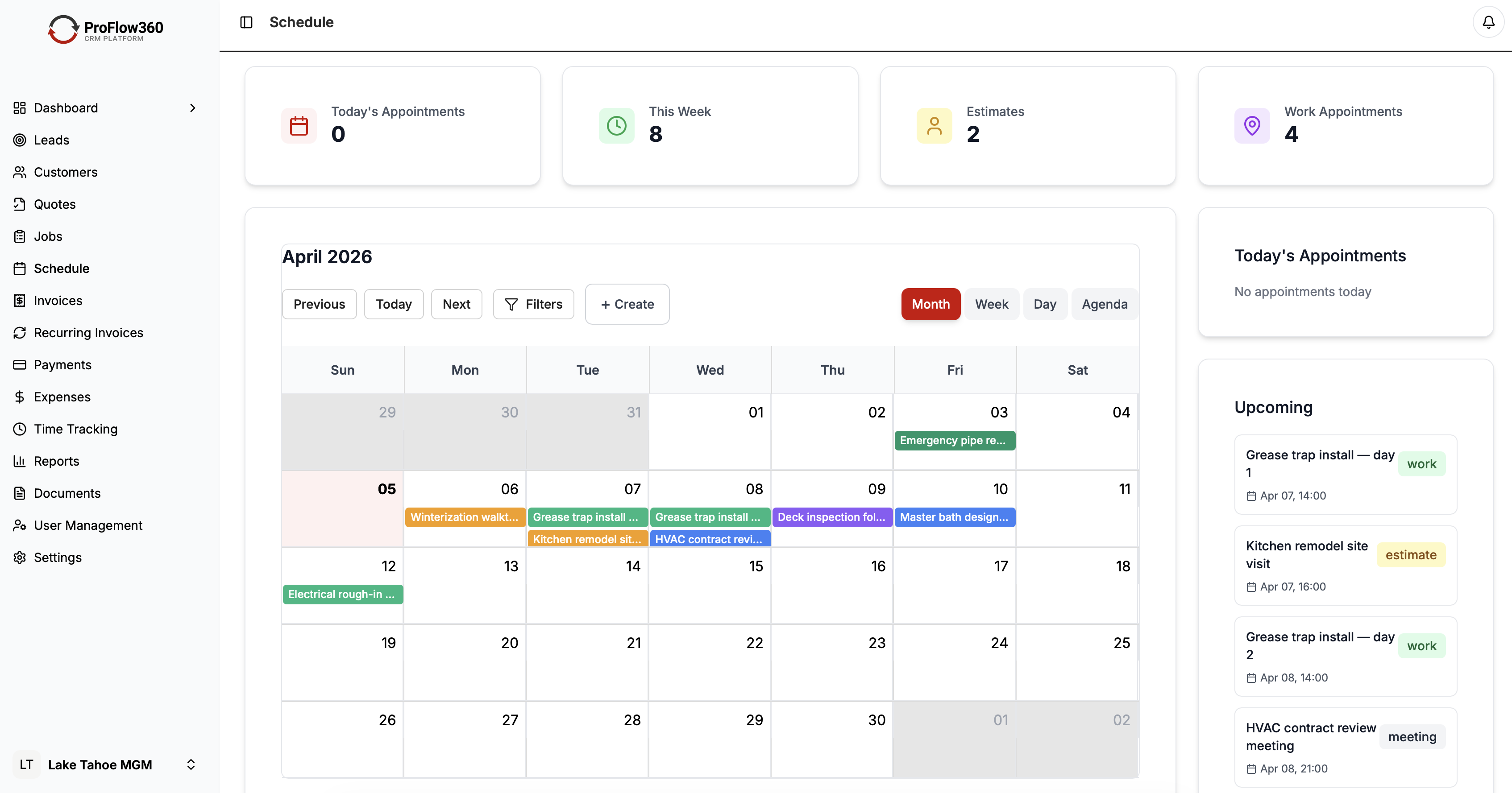
- Add the job to the assigned tech's calendar (via calendar integration)
- Send the customer a confirmation with the scheduled date, time window, and tech name
Field techs see their scheduled jobs in the ProFlow360 mobile app. They can pull up the customer record, see the job scope and any notes from the estimate process, navigate to the site using an address link, and log status updates from their phone without calling the office.
Stage 5: Job Delivery and Documentation
The job itself happens in the field, largely outside the CRM. But two things need to happen before the job is marked complete:
Job documentation. Before leaving the site, the tech logs: work completed, any issues encountered, materials used, photos if applicable. This takes 2–3 minutes and creates a permanent record that protects you if a dispute arises later and provides the office with everything needed to generate an accurate invoice.
Customer sign-off. For larger jobs, have the customer sign off on completion via the mobile app before the tech leaves. This prevents "I didn't know the job was done" conversations that delay invoicing.
Configure a post-job checklist in ProFlow360 that must be completed before job status can change to "Complete." This enforces documentation before the tech drives away.
Stage 6: Invoicing and Follow-Up
The job is done. The invoice needs to go out the same day. Every day between job completion and invoice sent is a day of cash flow delay — and research from the Association of Credit and Collection Professionals shows that invoices sent within 24 hours of job completion are paid significantly faster than those sent later.
CRM configuration for post-job:
When a job is marked complete:
- Automatically generate a draft invoice with the job details and agreed price
- Send draft invoice to the office manager or owner for review (or auto-send for standard jobs)
- Create a task: "Send invoice — [Customer Name] — [Job]" — due same day
One week after job complete, the post-job check-in automation fires: "Hi [Name], checking in on the [service] we completed last week — everything looking good?"
Thirty days after job complete (for non-recurring customers), create a task: "Repeat/referral outreach — [Customer Name] — [Job] — completed [date]."
Recurring Service Management
For businesses with recurring customers — quarterly pest control, monthly cleaning, annual tune-ups — CRM automation multiplies the value of every relationship.
Configure recurring job schedules by setting the next service date on each customer record and building an automation that fires 30 days before that date: create a scheduling task, send the customer a "time for your next [service]" email with an easy scheduling link.
Customers who don't schedule within 14 days get a second prompt. If there's still no response, the customer's health score drops and a manual outreach task is created for their account owner.
Track recurring customer retention rate as a primary KPI. For residential service businesses, this number should be above 70%. Below 60% is a warning signal that either service quality or follow-through is breaking down somewhere.
Mobile-First Field Operations
Field techs have specific needs from a CRM that office staff don't:
- Fast job lookup without hunting through menus
- Easy note logging with voice-to-text
- Photo capture and upload without leaving the app
- Offline mode for jobs with poor connectivity
- Simple status updates — not a full CRM interface
ProFlow360's mobile app is designed with field techs as the primary user, not a secondary consideration. The job view shows exactly what a tech needs: customer name, address with navigation link, scope summary, any notes from previous jobs, and status update buttons. Everything else is secondary.
If your CRM's mobile app requires more than 3 taps to update a job status, adoption in the field will be low. Test this before committing to a system.
Service-Specific Metrics to Track
Beyond standard CRM metrics, service businesses need to track:
First-call resolution rate: What percentage of customer calls or inquiries are fully resolved on first contact? Low rates indicate communication or process gaps.
Callback rate: What percentage of customers need a return visit after a job is marked complete? High callback rates indicate quality issues.
Time from estimate to job: How long between estimate approval and job completion? Long lags indicate scheduling bottlenecks.
Revenue per technician: Total billed revenue divided by technician, per month. This is your most direct productivity metric.
Recurring customer rate: What percentage of your customers are on a recurring schedule versus one-time jobs? Higher recurring rates mean more stable revenue.
Conclusion
A CRM built around the service business lifecycle — lead through repeat booking — is a fundamentally different tool than a generic sales pipeline. The stages are different, the mobile requirements are different, and the metrics that matter are different.
ProFlow360 is purpose-built for this lifecycle — see the full feature set and pricing. The default configuration matches how most field service companies operate, which means you're configuring for your specific trade rather than rebuilding the entire workflow from scratch.
The businesses that get the most from CRM are the ones that treat it as the operational core of the business — where every lead, job, and customer interaction lives — not as a secondary system that needs to be updated after the fact.
Tags
Mark Shvaya
Founder, ProFlow360
Sacramento-based broker and property manager. Built ProFlow360 to solve the operational chaos he lived through managing 50+ doors and a field service team.