How to Get Your Team to Actually Use the CRM: A Field Service Adoption Playbook
CRM adoption is the single biggest reason CRM implementations fail. Not the software. Not the price. Not the features. Research from multiple industry sources puts the CRM failure rate between 50% and 63% — and the leading cause, consistently, is that the people who are supposed to use the system simply don't.
For field service businesses — contractors, HVAC techs, plumbers, landscapers, cleaning companies — the adoption challenge is amplified. Your team is on job sites, not sitting at desks. Asking a technician who's been managing jobs from memory and a clipboard to suddenly log everything in an app requires more than a login and a training video. It requires a deliberate adoption strategy. Last updated April 2026.
Why CRM Adoption Fails in Field Service Companies
Before solving the problem, understand why it happens. The reasons are predictable and addressable.
The Data Entry Tax
According to Breakcold's 2025 CRM research, 32% of sales reps spend more than one hour per day on manual data entry. For a field technician earning $35–$55 per hour, that's real money — and they feel it. Every minute spent typing notes into a phone screen between jobs is a minute they're not completing billable work.
When people don't see clear value in return for the time spent entering data, they quietly skip steps or revert to old habits. Within two weeks, the CRM has incomplete records, managers stop trusting it, and the system becomes an expensive contact list nobody checks.
The "One Training Session" Problem
Most CRM rollouts include a single group training session — usually a 60-minute walkthrough of features by someone who configured the system. Then the team is expected to use it independently. This fails for the same reason a single gym orientation doesn't create a fitness habit. Behavior change requires repetition, reinforcement, and immediate payoff.
No Visible Benefit to the User
Office managers and business owners see the CRM's value immediately — pipeline visibility, automated follow-ups, revenue reports. But the field technician? From their perspective, it's extra work that benefits someone else. If you don't show the technician what's in it for them — fewer callbacks, clearer schedules, faster payments — adoption stalls at the people who need it most.
Leadership Doesn't Use It
When the owner reviews the pipeline from a spreadsheet instead of the CRM, or when a manager asks for job updates verbally instead of checking the system, the message is clear: the CRM is optional. Research from Salesforce's adoption guides confirms that executive sponsorship and visible leadership usage are among the strongest predictors of successful adoption.
The Adoption Framework: Four Phases
Getting a field service team to adopt a CRM follows a specific sequence. Skip a phase and the later ones collapse.
Phase 1: Make It Worth Their Time (Before Launch)
Adoption starts before the software goes live. The goal of this phase is to answer every team member's unspoken question: "What does this do for me?"
For technicians and field staff:
- Fewer phone calls from the office asking for updates (the CRM shows job status)
- Clearer daily schedules with all job details, customer notes, and directions in one place
- Faster payment — when job completion triggers invoicing automatically, checks arrive sooner
- No more "he said, she said" disputes — everything is documented
For office managers:
- No more chasing techs for job status updates
- Automated follow-ups that used to be manual phone calls
- One place to see the full schedule instead of juggling whiteboards and texts
- Reports generated in minutes, not hours
For owners:
- Real-time pipeline visibility without asking anyone
- Lead response time drops from hours to minutes
- Data to make pricing, hiring, and marketing decisions
Write these benefits down and share them before launch — not as a corporate memo, but as a direct conversation. "Here's what changes for you specifically." ProFlow360's implementation process includes a pre-launch checklist that maps benefits to each role.
Phase 2: Start Small, Win Fast (Weeks 1–2)
The biggest adoption mistake is launching every feature at once. A field technician who opens the app and sees 15 menu items will close it and text the office manager instead.
Week 1: One workflow only. Pick the single highest-value workflow and make that the only thing you ask the team to do in the CRM.
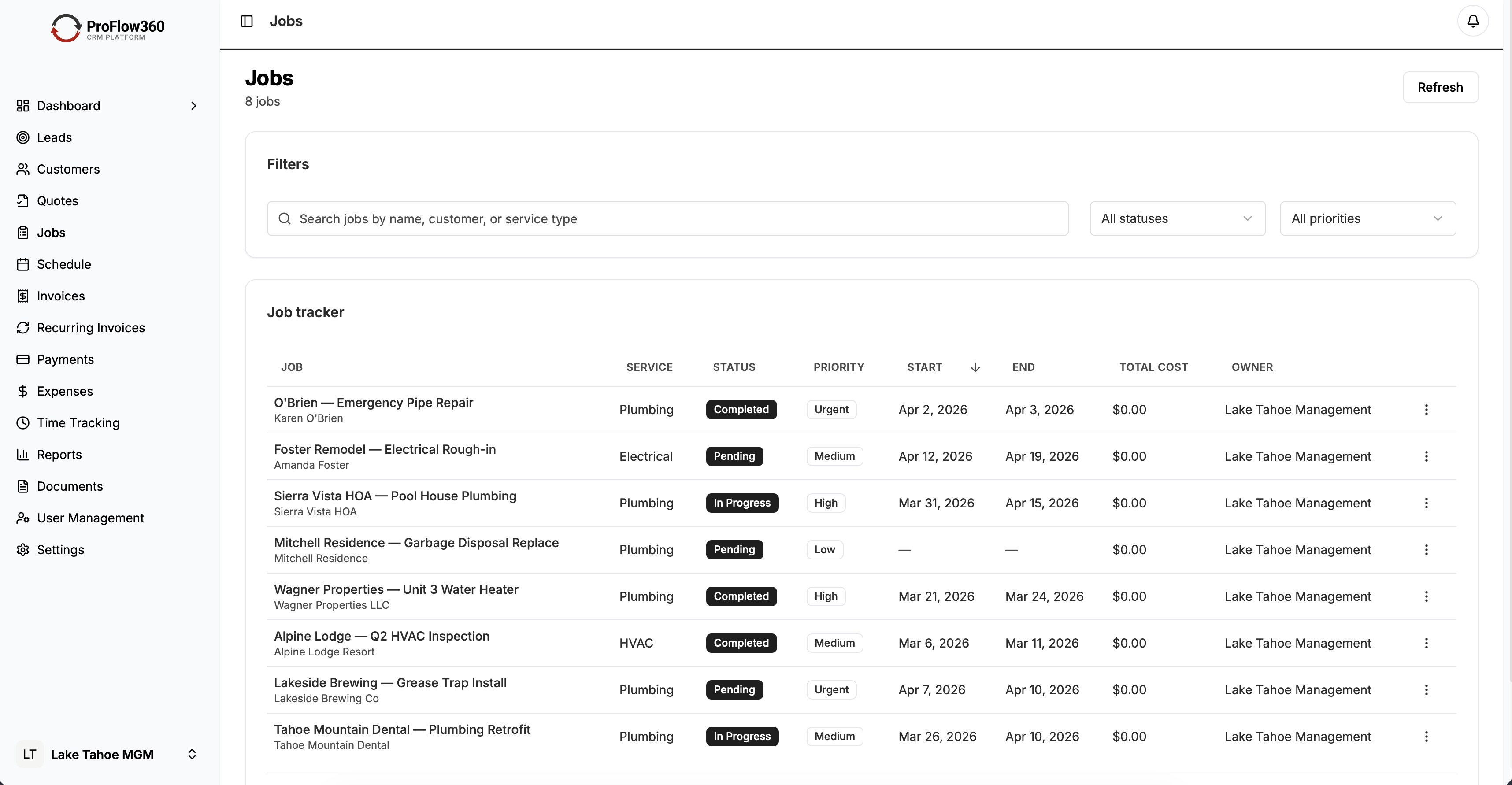
For most field service companies, that's job status updates. The technician opens the app, taps the job, and changes status: En Route, On Site, In Progress, Complete. That's it. Four taps. No data entry beyond what they'd text to the office anyway.
Week 2: Add one more layer. Once status updates are habitual, add job notes or photo uploads. Still simple. Still mobile-friendly. Still directly tied to a benefit they can feel (documented work = fewer disputes).
This phased approach mirrors what change management research recommends. Rather than full-scale launch, start with a pilot that builds confidence before expanding.
What NOT to do in the first two weeks:
- Don't require detailed time tracking yet
- Don't ask for material usage logging
- Don't introduce reporting dashboards to field staff
- Don't send the team a 40-page user guide
You can add all of those later. Right now, the goal is a habit: open the app, update the job, close the app.
Phase 3: Reinforce the Habit (Weeks 3–6)
Habits form through repetition and reward. This phase is about creating both.
Daily standup check (5 minutes): Start each morning with a quick pipeline or schedule review — in the CRM, on a shared screen. When the team sees their updates reflected in the system and used in real decisions, the connection between "I updated the job status" and "the business runs better" becomes concrete.
Celebrate early wins publicly. When the automated follow-up email generates a repeat customer call, mention it. When a tech's job notes prevent a warranty dispute, call it out. These peer success stories drive adoption more effectively than any top-down mandate.
According to the Nutshell CRM adoption research, teams engage with the system when they see colleagues succeeding with it. Creating space for people to share their CRM wins builds organic momentum.
Assign a CRM champion. Pick the person on your team who picked it up fastest and make them the go-to resource. Not a formal title — just the person who answers "how do I..." questions before they become "I can't figure this out, I'm going back to the old way" frustrations.
Track adoption metrics weekly:
- Percentage of jobs with status updates within 24 hours
- Number of active users per day
- Average time from job completion to status update
- Number of leads with a logged first-contact activity
These numbers tell you who's using the system and who's quietly opting out. Address gaps individually, not in group meetings.
Phase 4: Lock It In (Month 2+)
Once the core workflow is habitual, expand deliberately.
Layer in automation: Automated estimate follow-ups, job completion check-ins, and renewal reminders. When the system starts doing work that used to be manual, adoption becomes self-reinforcing. Nobody wants to go back to a process that requires more effort.
Retire the old tools. This is the critical step most companies delay too long. If the whiteboard schedule, the group text thread, and the spreadsheet pipeline all still exist alongside the CRM, the CRM will always be the second-class system.
Set a date. After that date, job assignments come from the CRM. Pipeline reviews happen in the CRM. If it's not in the system, it didn't happen. Make this clear, make it firm, and give people enough runway (typically 2–4 weeks of warning) to adjust.
Connect CRM data to decisions they care about. When you use CRM reports to decide which technician gets the high-value jobs, or which service types to prioritize next quarter, and you show the team those decisions came from the data they entered, the feedback loop closes. Their input drives outcomes that affect them.
The Mobile-First Imperative
For field service teams, mobile isn't a nice-to-have — it's the entire adoption strategy. Research compiled by SLT Creative and Wave Connect shows that mobile CRM users achieve sales quotas 65% more often than non-mobile users, and 81% of CRM users now access their systems from multiple devices.
If your CRM's mobile experience requires the same number of taps and screens as the desktop version, field adoption will fail. The mobile interface needs to be purpose-built for the field workflow:
- Job status update: 2–3 taps maximum
- Customer details: Visible without scrolling or navigating
- Notes and photos: One-tap access from the job screen
- Schedule view: Today's jobs with addresses and contact info, no filtering required
- Offline capability: Jobs don't stop because cell service is spotty in a basement
ProFlow360 is built mobile-first for exactly this reason. The field app is not a shrunken version of the desktop — it's a separate interface optimized for one-handed operation between jobs.
Role-Based Adoption: What Each Person Actually Needs
A common training mistake is showing everyone the same features. Each role interacts with the CRM differently, and training should reflect that.
Field Technicians
What they use daily: Job schedule, job status updates, customer notes, photo uploads, directions.
What they don't need to learn yet: Pipeline analytics, lead source reports, automation configuration, integrations.
Training approach: On the phone, in the field, 15 minutes. Walk through a real job: open app, view today's schedule, tap job, update status, add a note, done. Repeat with a second job. That's the training.
Key message: "This replaces the text thread. Everything about your jobs is here. Update the status so the office doesn't have to call you."
Office Managers
What they use daily: Lead intake, scheduling, estimate tracking, customer communications, basic reports.
What they don't need yet: Advanced automation rules, API integrations, custom report building.
Training approach: Desktop, 45 minutes. Walk through the lead-to-job workflow: new lead arrives, assign to rep, estimate sent, follow-up, job scheduled, job complete, invoice. Show the pipeline management view and the daily schedule.
Key message: "This replaces the whiteboard and the five spreadsheets. Every lead, every job, every follow-up is tracked here."
Owners and Managers
What they use daily: Pipeline overview, revenue dashboards, team activity, lead source performance.
What they don't need to manage: Individual job updates, data entry, scheduling logistics.
Training approach: Desktop, 30 minutes. Focus on the five reports that answer their weekly questions: pipeline value, lead conversion, estimate win rate, revenue trend, and outstanding invoices.
Key message: "This is where your business decisions come from now. If a metric isn't in the CRM, we can't manage it."
Overcoming the Five Most Common Objections
Real objections from real field service teams, and how to address them.
"I don't have time for this."
Response: "The average status update takes 15 seconds. That's less time than the text you'd send the office. And it means nobody calls you mid-job asking where you are."
Show the math: 15 seconds per update, 6 jobs per day = 90 seconds total. Compare that to the 10+ minutes spent fielding "where are you" calls and texts daily.
"I'm not good with technology."
Response: "You use Google Maps, you text, you take photos with your phone. This app does three things: show your schedule, let you update job status, and let you add notes. If you can send a text, you can use this."
Start with the absolute minimum — status updates only — and layer in complexity gradually.
"The old system worked fine."
Response: "Last month we lost two leads because nobody followed up within 24 hours. We had three scheduling conflicts because the whiteboard wasn't updated. And billing was delayed a week on four jobs because completion wasn't logged. That's what 'fine' actually looks like."
Quantify the cost of the old system. Missed leads, scheduling errors, billing delays, and customer retention failures have real dollar values.
"I tried a CRM before and it was terrible."
Response: "Which one? What was terrible about it? We picked this one specifically because it solves that problem. Try it for two weeks on just job status updates — if it doesn't work, we'll talk about alternatives."
Validate the past experience, then narrow the current ask to something so simple it's hard to reject. Past CRM failures often come from choosing the wrong system in the first place.
"Just tell me what to do and I'll do it."
Response: This isn't an objection — it's a green light. Give them the three-step checklist for their role and follow up in 48 hours to see how it went. These are your early adopters. Enlist them to help reluctant teammates.
Measuring Adoption: The Numbers That Matter
Don't guess at adoption — measure it. Track these metrics weekly for the first 90 days.
Login frequency: Are users opening the CRM daily? Weekly? Never after the first day?
Data completeness: What percentage of jobs have status updates, notes, and completion timestamps? Below 80% means adoption has gaps.
Time-to-update: How long after a job status change does it get logged in the CRM? Same day is good. Next day is a warning. Never is a problem.
Automation utilization: Are automated workflows actually firing? If the system sends a follow-up email but nobody set the trigger status, the automation is technically working but practically useless.
Support requests: A spike in "how do I..." questions in weeks 2–3 is healthy — it means people are trying. Zero questions means people stopped trying.
| Metric | Week 1 Target | Week 4 Target | Week 12 Target |
|---|---|---|---|
| Daily active users | 50% of team | 80% of team | 95% of team |
| Jobs with status updates | 60% | 85% | 95%+ |
| Average time to update | Same day | Within 2 hours | Within 30 min |
| Lead response (automated) | Active | Active | Active + optimized |
| Estimate follow-up rate | 50% | 80% | 90%+ |
ProFlow360's admin dashboard includes a built-in adoption scorecard that tracks these metrics automatically — no manual reporting required.
The 90-Day Adoption Timeline
Here's the realistic timeline for a field service team of 5–20 people adopting a CRM.
Pre-launch (1 week): Role-specific benefit conversations. Configure the CRM for your workflow. Load customer and job data. No training yet — just setup.
Week 1: Launch with one workflow (job status updates). 15-minute mobile training for field staff. 45-minute desktop training for office.
Week 2: Add job notes and photo capability. First daily standup using CRM data. Address individual questions.
Weeks 3–4: Add estimate and pipeline tracking. Office manager begins using the CRM for lead intake. First weekly CRM reports review.
Weeks 5–6: Enable automation — lead response, estimate follow-up, job completion check-in. Begin retiring old tools (whiteboard, spreadsheet, group text).
Weeks 7–8: Old tools fully retired. All job assignments, pipeline reviews, and scheduling through CRM only.
Weeks 9–12: Optimization. Review adoption metrics, address remaining gaps, add advanced features based on team readiness. Evaluate integration needs for accounting, scheduling, and communication tools.
Month 4+: Ongoing refinement. Monthly process reviews. Quarterly addition of new features or workflows based on business needs.
What Happens When Adoption Succeeds
Companies that achieve 90%+ CRM adoption rates report measurable results. Data compiled by DemandSage and Wave Connect's 2026 CRM statistics report shows:
- 29% average increase in sales revenue
- $8.71 return for every dollar invested in CRM (Nucleus Research)
- 65% higher quota attainment for mobile CRM users
- Significant improvements in forecasting accuracy
For a field service company doing $1M in annual revenue, even a 15% improvement in lead conversion and a 10% reduction in scheduling waste can mean $100K+ in additional revenue annually — with no additional marketing spend.
The math is clear. But the math only works if the team uses the system.
Frequently Asked Questions
How long does CRM adoption take for a field service team?
Most field service teams with 5–20 people reach functional adoption (80%+ daily usage) within 6–8 weeks using a phased approach. Full optimization typically takes 90 days. Teams that try to launch everything at once often take longer because of the retraining needed after initial rejection.
What is a good CRM adoption rate?
Industry data shows only 40% of businesses achieve a 90%+ adoption rate. For field service companies, aim for 80% daily active usage by week 4 and 95%+ by week 12. Anything below 70% after 30 days signals a problem that needs immediate attention — typically insufficient mobile experience or too much complexity introduced too fast.
How do I get field technicians to use the CRM on their phones?
Start with one action only: job status updates. Make it 2–3 taps. Don't introduce data-heavy features until the habit is established. Choose a CRM with a mobile-first design — not a desktop app squeezed onto a phone screen. ProFlow360's field app is built specifically for one-handed, between-jobs operation.
Should I make CRM usage mandatory?
Yes — but only after you've made it easy and demonstrated value. Mandating a difficult, unrewarding system creates resentment. Mandating a system that clearly saves time and reduces hassle, after the team has had 4–6 weeks to build comfort, reinforces the new standard. Set a specific date when old tools are retired, and stick to it.
What is the biggest mistake in CRM adoption?
Launching too many features at once. The second biggest is letting old tools coexist with the CRM indefinitely. Both have the same result: the CRM becomes a secondary system that nobody trusts and eventually nobody uses. Start small, build momentum, then cut over completely.
Start Building the Habit
CRM adoption isn't a technology problem — it's a behavior change problem. The software matters, but the rollout strategy matters more. Start with clear role-specific benefits, launch with one simple workflow, reinforce the habit daily, and retire the old tools on a firm timeline.
ProFlow360 is built for this exact scenario — a field service CRM designed for teams that work from trucks, not desks. The mobile-first interface, pre-built service workflows, and built-in adoption tracking take the guesswork out of the rollout.
Ready to see how it works for your team? Check our pricing plans and start your free 14-day trial — no credit card required.
Tags
Mark Shvaya
Founder, ProFlow360
Sacramento-based broker and property manager. Built ProFlow360 to solve the operational chaos he lived through managing 50+ doors and a field service team.