Move-out inspections that answer the only question being asked
A move-out inspection should show what changed during the tenancy, not just what the unit looks like now. ProFlow360 pairs each move-out photo with the move-in photo of the same subject, keeps both capture dates, and records your call on each finding: normal wear and tear, tenant damage, cleaning, or other claimed.
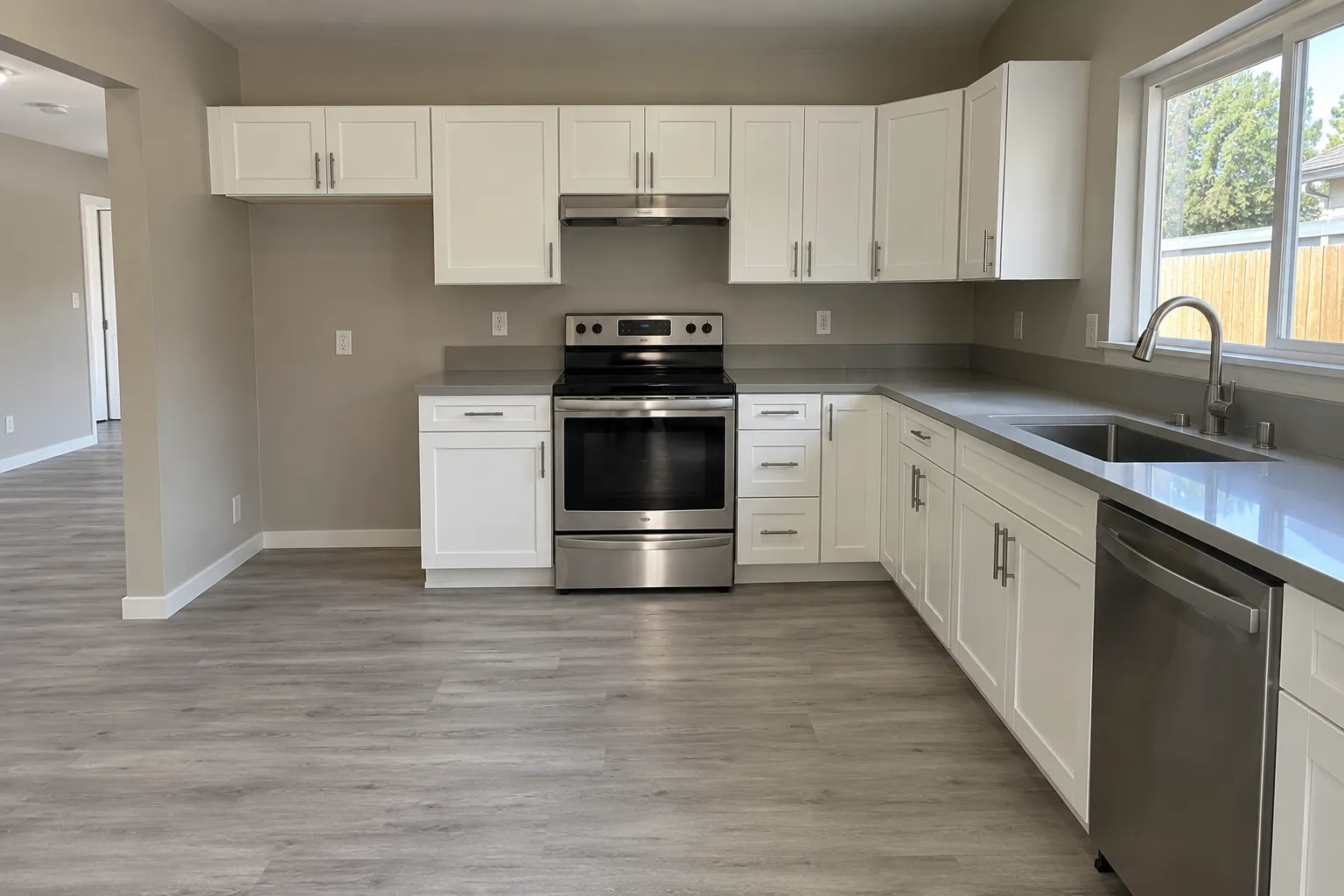
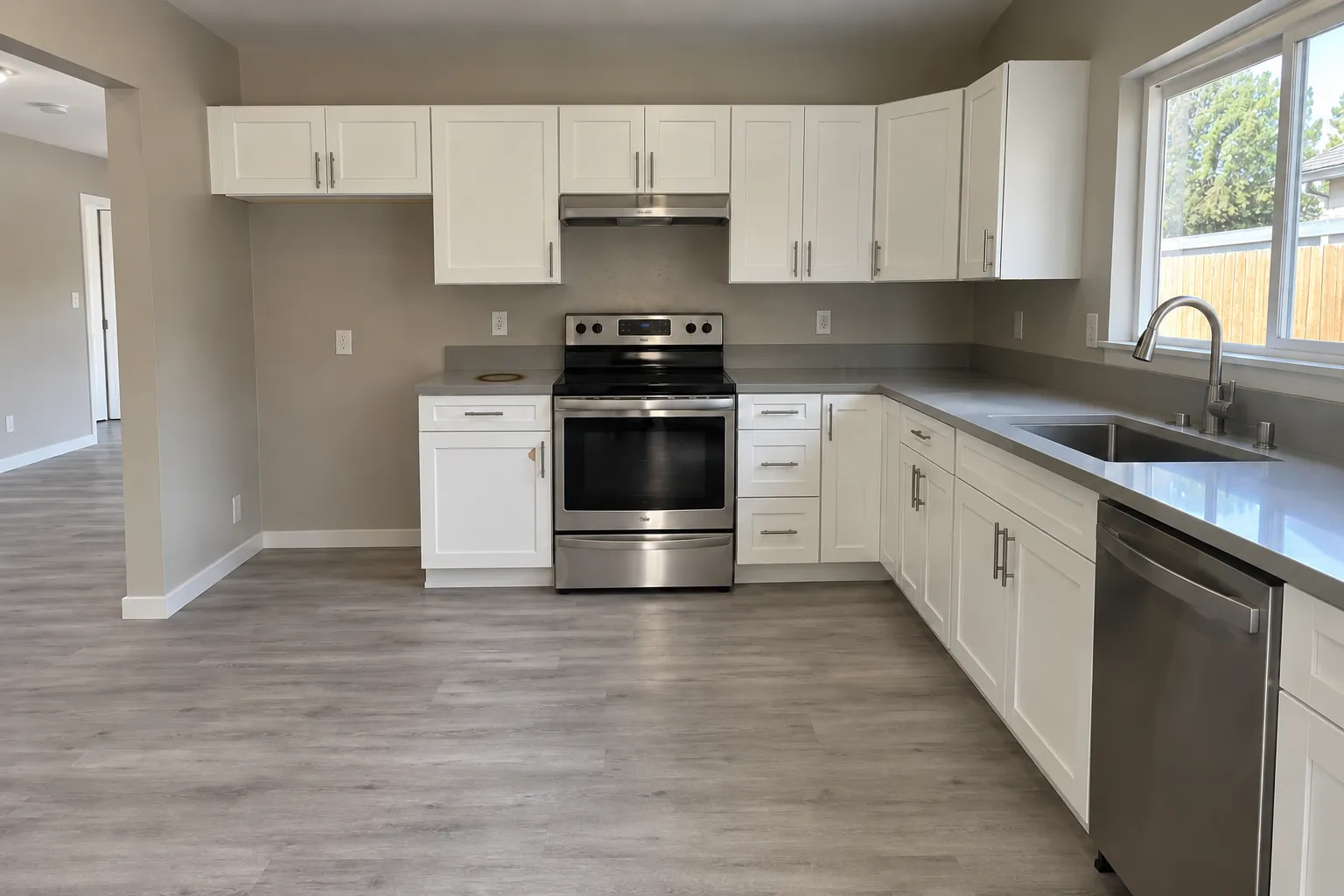
A photograph of damage is not proof of responsibility
It establishes that something is damaged. It says nothing at all about who damaged it, or when.
This is the gap that makes most move-out documentation weaker than it looks. A folder of move-out photographs feels thorough. Set against a resident who says the mark was there when they moved in, it does almost no work, because the folder cannot speak to the day they took possession.
What closes the gap is the pair: the same cabinet door, the same stretch of carpet, the same wall, photographed at both ends of the tenancy with both capture dates intact. One photograph is an assertion. Two photographs of the same subject a year apart are an observation.
Everything in a ProFlow360 move-out inspection is organized around producing those pairs, which is also why the move-in template and the move-out template are the same template.
A photo on its own
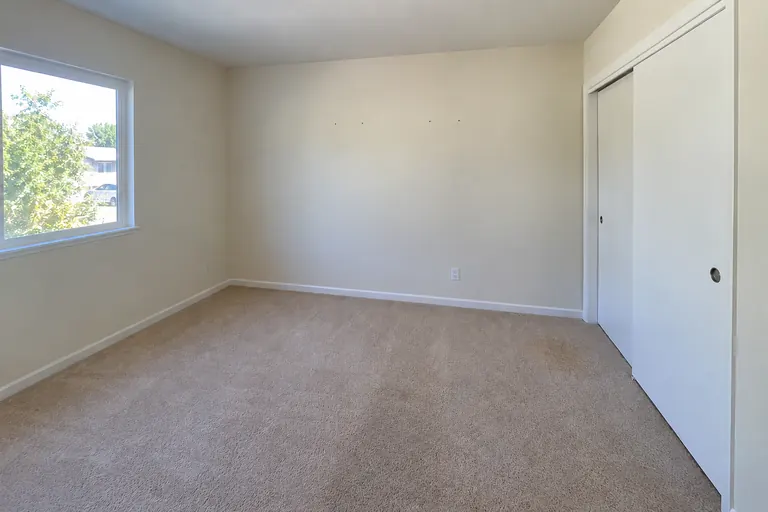 Sep 30, 2026
- Shows the carpet is stained
- Who stained it? When?
The pair
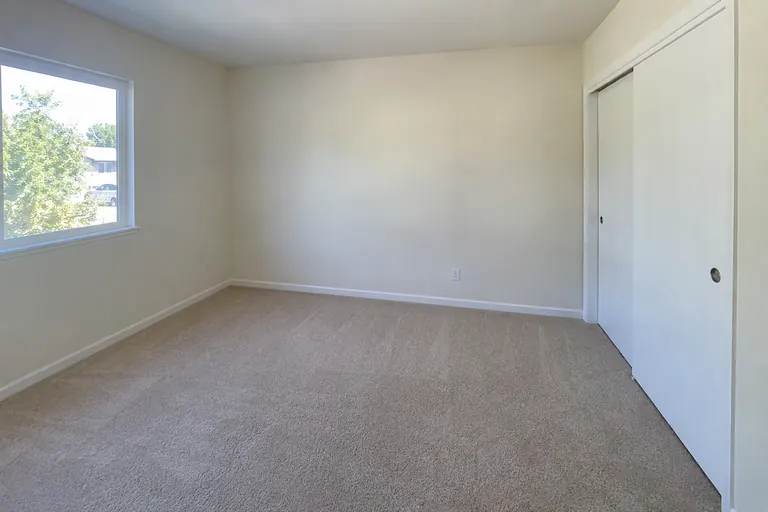 MI · Jul 12, 2024MO · Sep 30, 2026
Move-in
Tenancy started 12 Jul 2024
Move-out
Tenancy ended 29 Sep 2026
Kitchen — counter left of the range
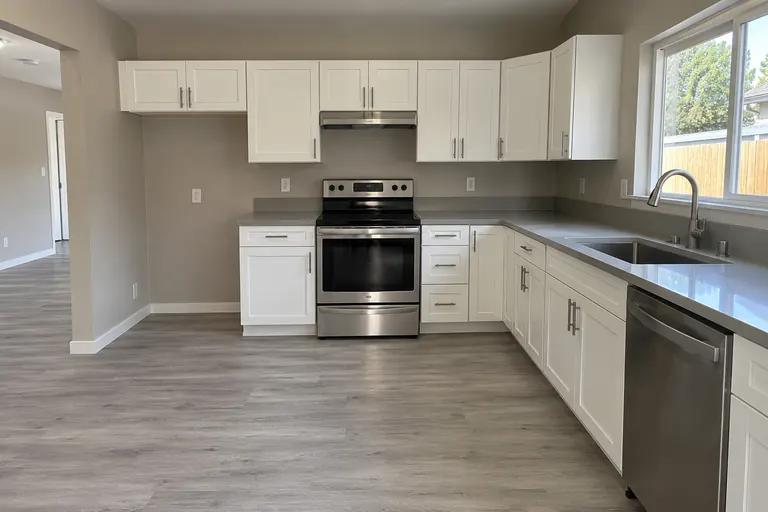 12 Jul 2024 · 09:14
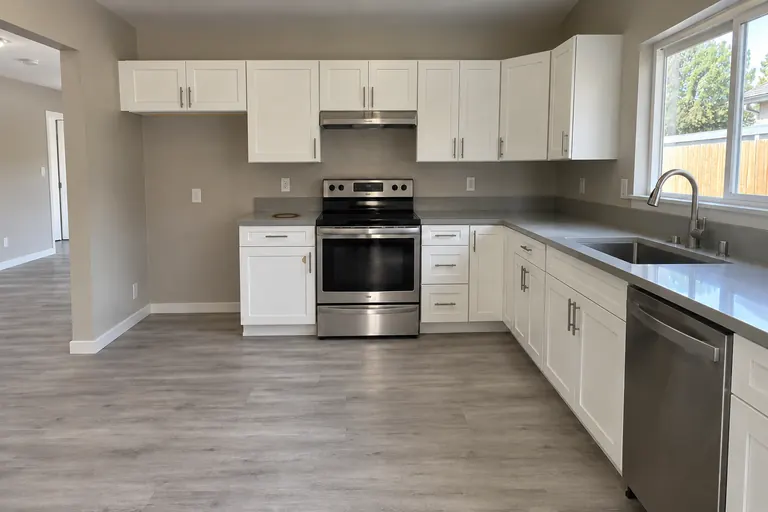 30 Sep 2026 · 10:31
Change noted: Burn mark on the laminate counter, about 4 in. across
Living room — wall beside the bedroom door
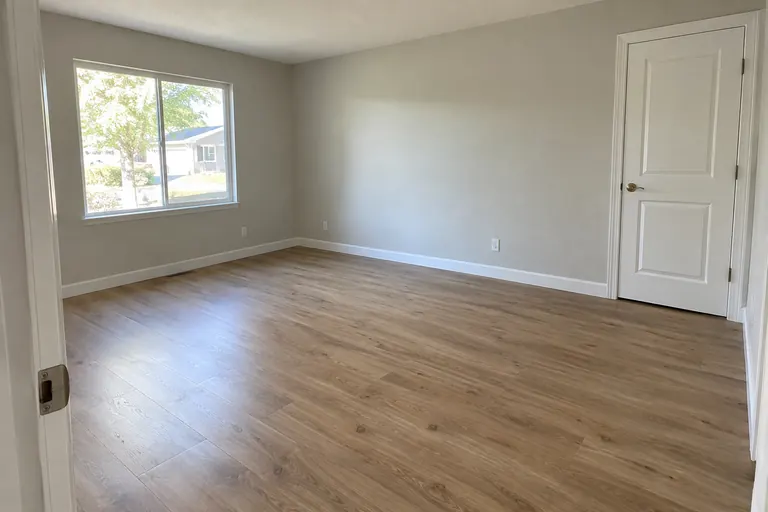 12 Jul 2024 · 09:26
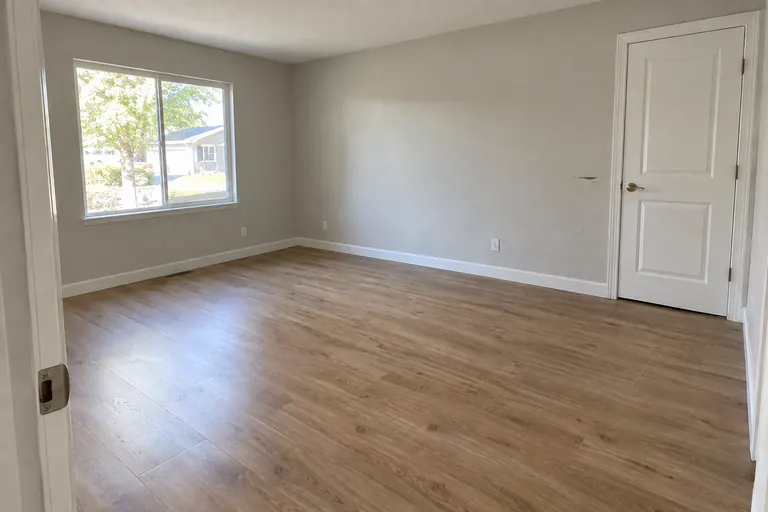 30 Sep 2026 · 10:42
Change noted: Scuff and small gouge at handle height, about 6 in.
Subject by subject, not album by album
Comparison is only useful at the level of a specific thing in a specific room.
Because both inspections were driven by the same template, each required shot at move-out has a counterpart at move-in. The comparison view pairs them and keeps both capture timestamps visible, so the reviewer is looking at a before and after of one subject rather than scrolling two galleries and trying to hold the difference in their head.
Findings are recorded against the pair. A note attached to “kitchen, cabinet fronts” stays attached to those two photographs, which is what makes it possible to explain the charge to somebody months later without narrating the whole walkthrough.
How do you tell normal wear and tear from damage?
You make that call, and ProFlow360 records it as yours. Software that tells you what counts as normal wear and tear is making a judgement it is not qualified to make.
ProFlow360 does not classify findings for you, does not score severity, and does not estimate cost. Those are decisions that depend on the lease, the jurisdiction, the age of the item, and the length of the tenancy — and they belong to you.
What the product does is make the decision durable and legible. Each finding carries the classification chosen, the amount entered, the person who entered it, the date, and the photographs behind it. A charge that can be explained is a charge that gets disputed less often.
ProFlow360 records and organizes inspection evidence and the deductions you enter. It does not determine legal entitlement, statutory deadlines, or account balances, and it does not hold or move funds.
30 Sep 2026Move-out capture, held against the 12 Jul 2024 move-in photo
Operator classifies this finding
Normal wear
Not chargeable
Tenant damage
Chargeable
Cleaning
Chargeable
Other
Operator note required
- Repair documentation
- Invoice attached · 1 file
- Amount entered by operator
- $184.00
- Recorded by
- D. Ramirez · 02 Oct 2026
Normal wear and tear, damage and cleaning, side by side
The four classifications ProFlow360 records, what each one usually describes, and what is stored when you choose it. Which one applies to a finding is your decision.
| Classification | What it usually describes | Typical examples | What ProFlow360 records |
|---|---|---|---|
| Normal wear and tear | Deterioration from ordinary use over time | Traffic wear on carpet, light scuffs, faded paint, a few small nail holes | Your classification, the photo pair, who recorded it and when; amounts are usually $0 |
| Tenant damage | Harm beyond ordinary use | Burns, gouges, holes, broken fixtures, pet damage | The photo pair, the amount you entered, and the estimate or invoice behind it |
| Cleaning | Soil or residue left at move-out | Soap scum, grease, debris, a dirty oven or fridge | The photos, the amount you entered, and the cleaning invoice |
| Other claimed | Anything else you claim | Items outside the three categories above | Your own description and attached documentation; nothing is calculated |
From findings to something you can send
The classified findings are not the end of the workflow — they are the input to the disposition.
Findings roll up into an itemized disposition: whole-cent amounts, your reasoning, and the photographs behind each line. Issuing it seals the record and produces a content-hashed manifest of everything it references, so what you sent can be shown to be what you sent.
If you get something wrong, you correct it — a correction adds a new revision carrying a complete new set of lines and supersedes the previous one, rather than quietly editing what the resident already received. The old revision stays intact and readable.
Deductions · Unit B
Tenancy Jul 2024 – Sep 2026
Living room Wall scuff, patch and paint | Tenant damage | $85.00 |
Kitchen Counter burn, left of range | Tenant damage | $180.00 |
Bathroom Tub surround and grout | Cleaning | $95.00 |
Bedroom 2 Nail holes | Normal wear | $0.00 |
Garage Oil stain on slab | Other claimed | $40.00 |
- Deposit you entered
- $2,400.00
- Withheld
- $400.00
Move-out inspection questions
What is the difference between normal wear and tenant damage?
That judgement depends on your jurisdiction, your lease, the age and condition of the item, and how long the resident lived there — and it is a judgement you and your counsel make, not one software should make for you. ProFlow360 does not classify findings automatically or score them. It records the classification you chose, the amount you entered, who entered it, and the photographs it was based on, so the reasoning is legible to someone reviewing it later.
How soon after move-out should the inspection happen?
As soon as the unit is vacant and before any cleaning or repair work begins, because work performed before capture is work you can no longer evidence. Statutory timelines for returning a deposit vary by state and are not something ProFlow360 tracks or calculates.
What if there is no move-in record to compare against?
You can still run a move-out inspection and produce a documented condition record — it just carries less weight, because a photograph of damage without a matching photograph of the same subject at handover does not establish when the damage occurred. The practical answer is to start capturing move-in baselines on every turnover from now on.
Can I attach repair invoices to a specific finding?
Yes. Each line on a disposition carries its own supporting photos, a repair estimate, an invoice reference, and free-text notes, alongside the room and issue it came from. The documentation attaches to the individual finding rather than to the tenancy in general, which is what lets you explain one charge without narrating the whole walkthrough.
Does ProFlow360 calculate what to withhold from a deposit?
No. It does not determine legal entitlement, statutory deadlines, or account balances, and it does not hold or move funds. Amounts shown are the amounts you entered. What may be withheld is your decision.
Keep reading
Document the next turnover properly
Run a templated move-out capture on your next vacancy and see what a structured condition record gives you that a camera roll does not.